THE TEMPLATE LIBRARY / 001

T-shirt tech pack template

A practical starting point for your next jersey staple. Keep the silhouette, neck finish and artwork placement in one editable brief.

A blank template does not prescribe measurements, fabric weights or tolerances. Example values below are illustrative.

What goes in your t-shirt brief?

01

Fabric & neck rib

Name the main jersey and neck rib separately. Composition describes the fibers; specification records a confirmed weight or supplier reference. Leave both blank until you know.

02

Measure the garment, not the model

For “half chest,” describe your reference point and record a value for each size. A flat garment measurement is different from body circumference. Add a separate row per size.

03

Artwork position

Use a clear reference, such as distance from the center-front neckline, and specify the intended print size. The template never estimates these distances from an image.

04

Your tolerance

Enter the acceptable variation you have agreed with the factory. A blank tolerance means unconfirmed, not zero.

Before you send it

Review unknown fields, record changes, and ask the factory to confirm open questions. A tech pack communicates your intent; sample approval remains a separate decision.

ILLUSTRATIVE EXAMPLE · NOT PRODUCTION SPECIFICATIONS
TECHPACK DRAFTTECHNICAL PACK

ST-001

Everyday studio tee

V1
2026-10-30
EXAMPLE / ILLUSTRATIVE VALUES T-SHIRT
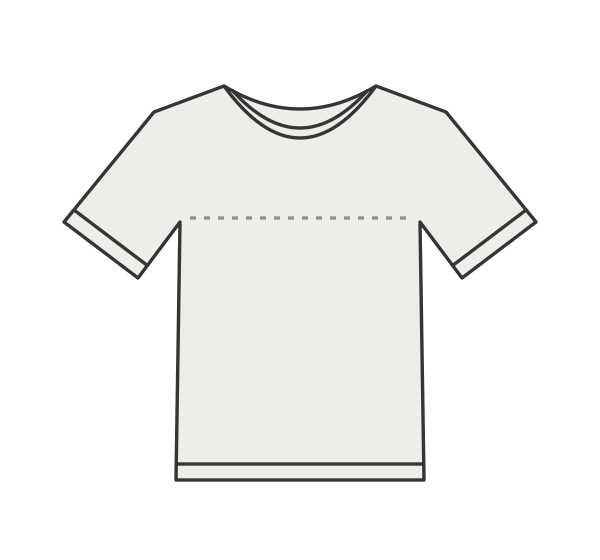
frontfront design uploaded by you
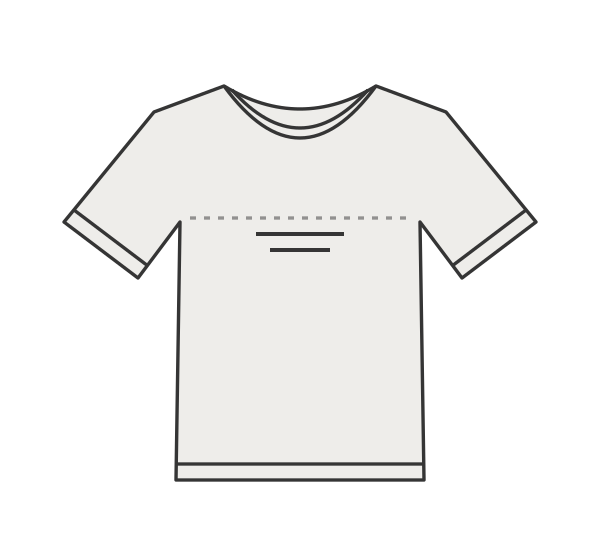
backback design uploaded by you

Illustrative template sketches. Replace with your own designs.

01 / STYLE NOTES

Illustrative example only. All specifications require your review and factory confirmation.

02 / MATERIALS & TRIMS

MaterialCompositionColorSpecificationUsage
Main fabric100% cotton (example)Natural180 gsm jersey (example)Main body and sleeves; illustrative specification.
Neck rib95% cotton / 5% elastane (example)Match main fabric1x1 rib, 280 gsm (example)Neck opening

03 / MEASUREMENTS

Point / unitM
Half chest (cm)54 ± 1
Body length (cm)70 ± 1
Sleeve length (cm)22 ± 1
Shoulder width (cm)48 ± 1
Hem width (cm)54 ± 1
Sleeve opening (cm)19 ± 0.5
Neck width (cm)18 ± 0.5
Front neck drop (cm)8 ± 0.5
Rib height (cm)2 ± 0.5

04 / ARTWORK, LABELS & CONSTRUCTION

AreaPlacementInstructions
SeamsShoulders and side seamsFour-thread overlock. Press seam allowance toward back. Illustrative only.
PrintFront center; top 10 cm below neckline seamSingle-color water-based print, 12 cm wide. Approve artwork and strike-off before sampling.
LabelInside center-back necklineWoven main label, 4 x 2 cm, edge stitched. Confirm artwork with supplier.

05 / CHANGE LOG

DateVersionChange
2026-10-31V1Example draft created

06 / QUESTIONS TO CONFIRM

QuestionStatus
Confirm all measurements and tolerances with your sample maker.Confirmed
Confirm fabric, trims, artwork scale and placements.Confirmed

How to fill in your T-shirt sample brief

  1. Upload front and back views of your T-shirt. Use the construction notes to describe the neckline, sleeve finish and any details the artwork does not show.
  2. Replace the example jersey and neck rib with your own material references. Add a separate line for labels or other trims, including their color and usage notes.
  3. Record each confirmed garment measurement by size. Then add the print dimensions, reference point and placement instructions before reviewing the PDF.

Does the example set my T-shirt measurements?

No. The sample document demonstrates how rows and notes fit together. Its measurements, material weights and tolerances are illustrative, not a recommended size chart. Use your own confirmed specifications, and add a row for every size and measurement point you need.

What if my print details are not confirmed?

Keep the artwork as a visual reference and leave unknown print size, position or process fields blank. Add an open question asking the factory to confirm them. Once agreed, update the instructions, record the change and export the new version from the saved project.

Looking for a hooded style? Explore the hoodie tech pack template, return to all tech pack templates, or compare PDF export packs. Your first project export is free per account.